----------------------------------------------------------------------
--- Knud van Eeden --- 12 January 2008 - 05:19 am --------------------

TSE: Multiple monitor: API: How to get the current (old) window position and how to set (new) window position?

---

Hereby an example which illustrates the principle to store and
restore your (program) window back on a certain position in a multiple
monitor system.

You only need to use the Microsoft Windows API functions:

GetWindowRect
to get the XY values of the given window

SetWindowPos
to set the XY values of the given window

(the principle is independent of multiple monitors, it looks just to
the XY (virtual screen) coordinates).

===

Steps: Overview:

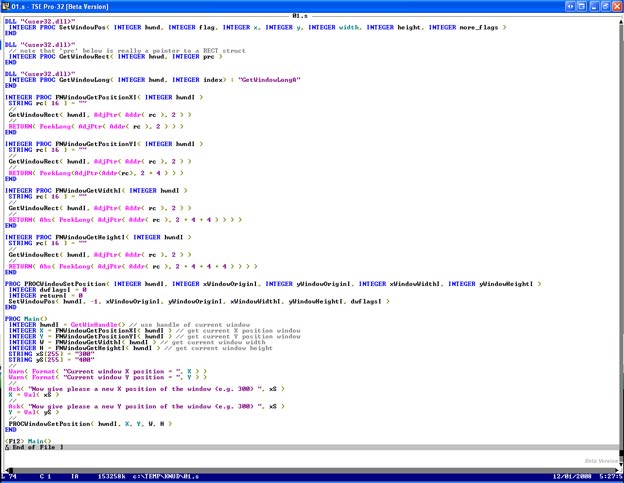
 1. -Create e.g. the following program

--- cut here: begin --------------------------------------------------


DLL "<user32.dll>"
 INTEGER PROC SetWindowPos( INTEGER hwnd, INTEGER flag, INTEGER x, INTEGER y, INTEGER width, INTEGER height, INTEGER more_flags )
END

DLL "<user32.dll>"
 // note that 'prc' below is really a pointer to a RECT struct
 INTEGER PROC GetWindowRect( INTEGER hnwd, INTEGER prc )
END

DLL "<user32.dll>"
 INTEGER PROC GetWindowLong( INTEGER hwnd, INTEGER index ) : "GetWindowLongA"
END

INTEGER PROC FNWindowGetPositionXI( INTEGER hwndI )
 STRING rc[ 16 ] = ""
 //
 GetWindowRect( hwndI, AdjPtr( Addr( rc ), 2 ) )
 //
 RETURN( PeekLong( AdjPtr( Addr( rc ), 2 ) ) )
END

INTEGER PROC FNWindowGetPositionYI( INTEGER hwndI )
 STRING rc[ 16 ] = ""
 //
 GetWindowRect( hwndI, AdjPtr( Addr( rc ), 2 ) )
 //
 RETURN( PeekLong( AdjPtr( Addr( rc ), 2 + 4 ) ) )
END

INTEGER PROC FNWindowGetWidthI( INTEGER hwndI )
 STRING rc[ 16 ] = ""
 //
 GetWindowRect( hwndI, AdjPtr( Addr( rc ), 2 ) )
 //
 RETURN( Abs( PeekLong( AdjPtr( Addr( rc ), 2 + 4 + 4 ) ) ) )
END

INTEGER PROC FNWindowGetHeightI( INTEGER hwndI )
 STRING rc[ 16 ] = ""
 //
 GetWindowRect( hwndI, AdjPtr( Addr( rc ), 2 ) )
 //
 RETURN( Abs( PeekLong( AdjPtr( Addr( rc ), 2 + 4 + 4 + 4 ) ) ) )
END

PROC PROCWindowSetPosition( INTEGER hwndI, INTEGER xWindowOriginI, INTEGER yWindowOriginI, INTEGER xWindowWidthI, INTEGER yWindowHeightI )
 INTEGER dwflagsI = 0
 INTEGER returnI = 0
 SetWindowPos( hwndI, -1, xWindowOriginI, yWindowOriginI, xWindowWidthI, yWindowHeightI, dwflagsI )
END

PROC Main()
 INTEGER hwndI = GetWinHandle() // use handle of current window
 INTEGER X = FNWindowGetPositionXI( hwndI ) // get current X position window
 INTEGER Y = FNWindowGetPositionYI( hwndI ) // get current Y position window
 INTEGER W = FNWindowGetWidthI( hwndI ) // get current window width
 INTEGER H = FNWindowGetHeightI( hwndI ) // get current window height
 STRING xS[255] = "300"
 STRING yS[255] = "400"
 //
 Warn( Format( "Current window X position = ", X ) )
 Warn( Format( "Current window Y position = ", Y ) )
 //
 Ask( "Now give please a new X position of the window (e.g. 300) ", xS )
 X = Val( xS )
 //
 Ask( "Now give please a new Y position of the window (e.g. 400) ", yS )
 Y = Val( yS )
 //
 PROCWindowSetPosition( hwndI, X, Y, W, H )
END

<F12> Main()


--- cut here: end ----------------------------------------------------

 2. -Run this program

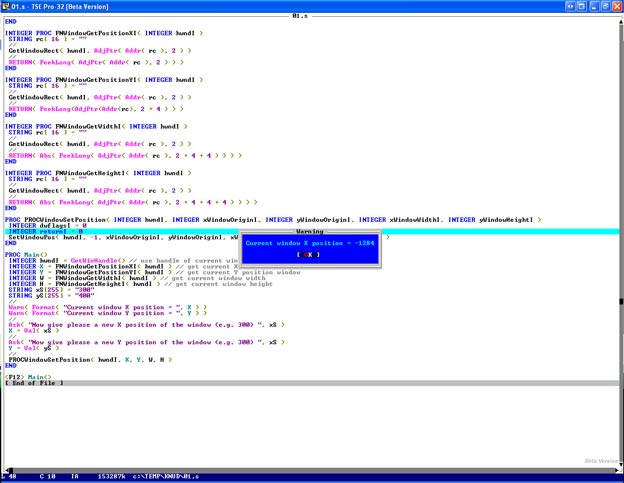
 3. -To 'get' the current (old) XY coordinate of the window

     1. -For illustration purposes, first drag the window with your
         mouse to any position of your (multiple) monitor(s)

     2. -Then press any key on the keyboard

     3. -Then the Microsoft Windows API 'GetWindowRect' is called,
         which returns the current window data

     4. -You will then see the XY coordinate of the left top of that
         window

     5. -If you have multiple monitors then

         1. -If you are on the left monitor(s) you will see a negative X value
             (e.g. -500)

         2. -If you are on the right monitor(s) you see a positive X value
             (e.g. +500)

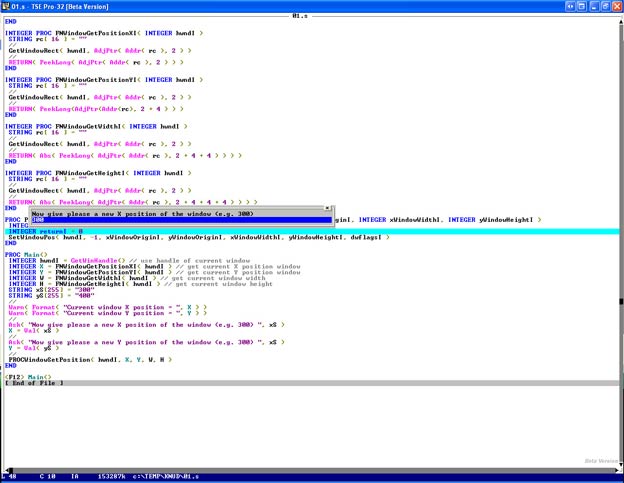
 4. -To 'set' the (new) XY coordinate of the window

     1. -Input the new X coordinate
         (not too large or it may fall outside your screen resolution, e.g. between 0 and 1024)

     2. -Input the new Y coordinate
         (not too large or it may fall outside your screen resolution, e.g. between 0 and 768)

     3. -Then the Microsoft Windows API 'SetWindowPos' is called,
         which sets the current window data

 5. -If you thus store the old XY data of your window somewhere (e.g.
     in a .ini file, state file, text file, the registry, environment
     variable, ...) first, you can then position your window back on
     the old position on multiple monitors.

----------------------------------------------------------------------
|
===
|
|
Screencast: see also:
|
|
|
|
|
|
---
|