----------------------------------------------------------------------
--- Knud van Eeden --- 06 July 2008 - 08:25 pm -----------------------
Computer: Editor: TSE: Syntax: Highlight: How to possibly create syntax highlighting for your XML file?
---
Steps: Overview:
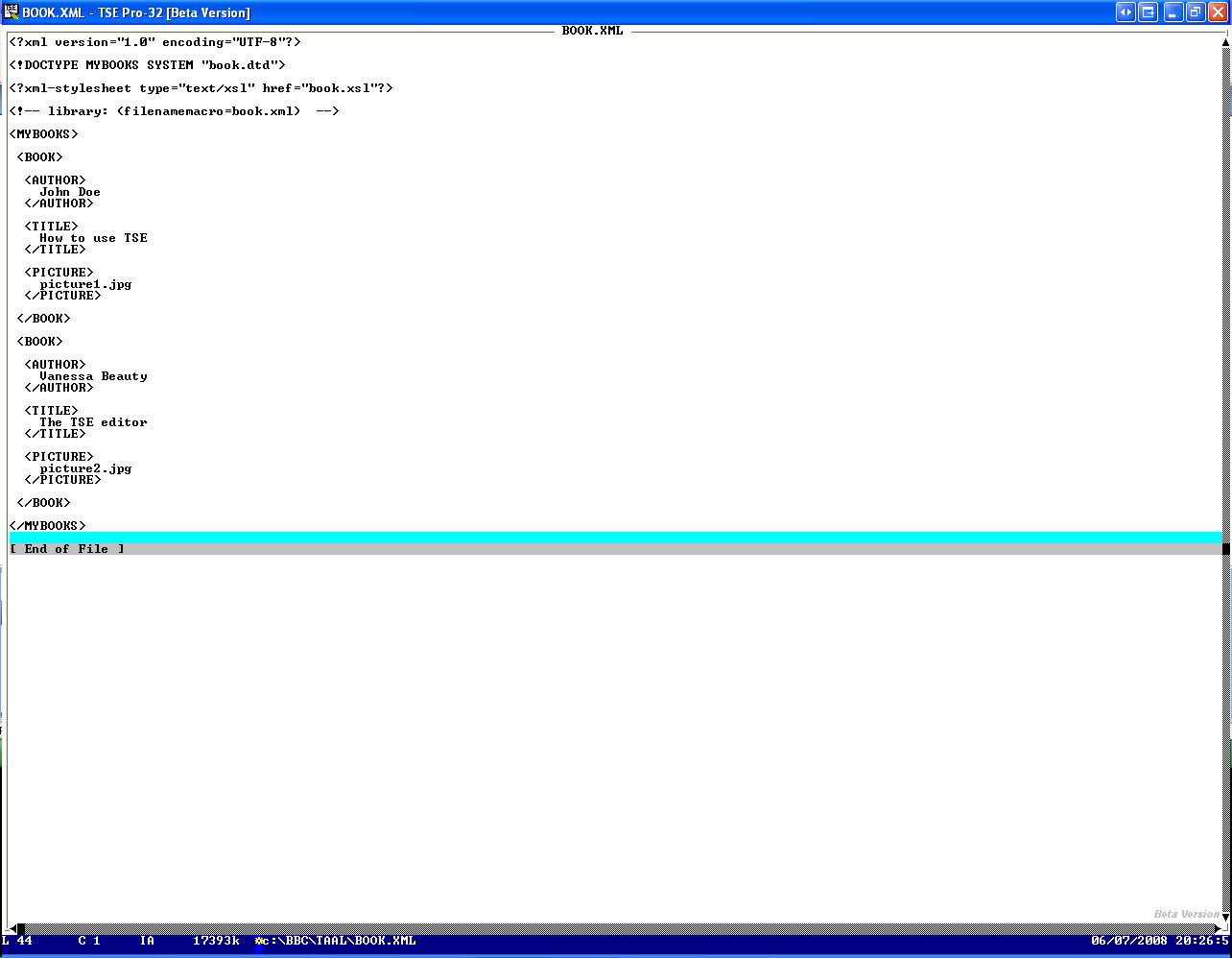
1. -Given e.g. your XML file
--- cut here: begin --------------------------------------------------
<?xml version="1.0" encoding="UTF-8"?>
<!DOCTYPE MYBOOKS SYSTEM "book.dtd">
<?xml-stylesheet type="text/xsl" href="book.xsl"?>
<!-- library: (filenamemacro=book.xml) -->
<MYBOOKS>
<BOOK>
<AUTHOR>
John Doe
</AUTHOR>
<TITLE>
How to use TSE
</TITLE>
<PICTURE>
picture1.jpg
</PICTURE>
</BOOK>
<BOOK>
<AUTHOR>
Vanessa Beauty
</AUTHOR>
<TITLE>
The TSE editor
</TITLE>
<PICTURE>
picture2.jpg
</PICTURE>
</BOOK>
</MYBOOKS>
--- cut here: end ----------------------------------------------------
2. -Collect your keywords
1. -Extract (manually, or using a TSE macro) your tag keywords
--- cut here: begin --------------------------------------------------
AUTHOR
BOOK
MYBOOKS
PICTURE
TITLE
--- cut here: end ----------------------------------------------------
3. -Divide these keywords in color groups,
and put that in your syntax highlight .txt file
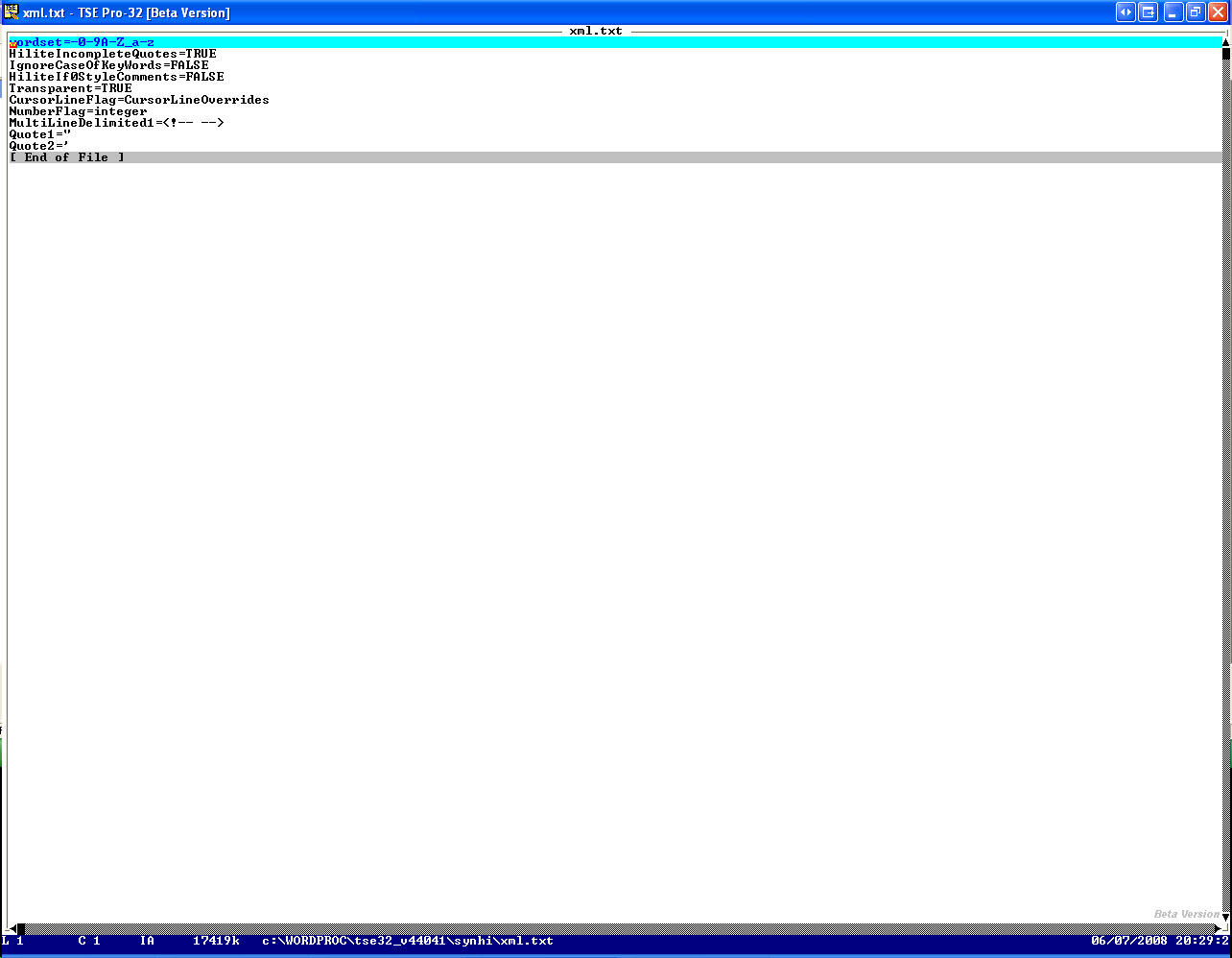
1. -Syntax highlight xml.txt file: before
--- cut here: begin --------------------------------------------------
wordset=-0-9A-Z_a-z
HiliteIncompleteQuotes=TRUE
IgnoreCaseOfKeyWords=FALSE
HiliteIf0StyleComments=FALSE
Transparent=TRUE
CursorLineFlag=CursorLineOverrides
NumberFlag=integer
MultiLineDelimited1=<!-- -->
Quote1="
Quote2='
--- cut here: end ----------------------------------------------------
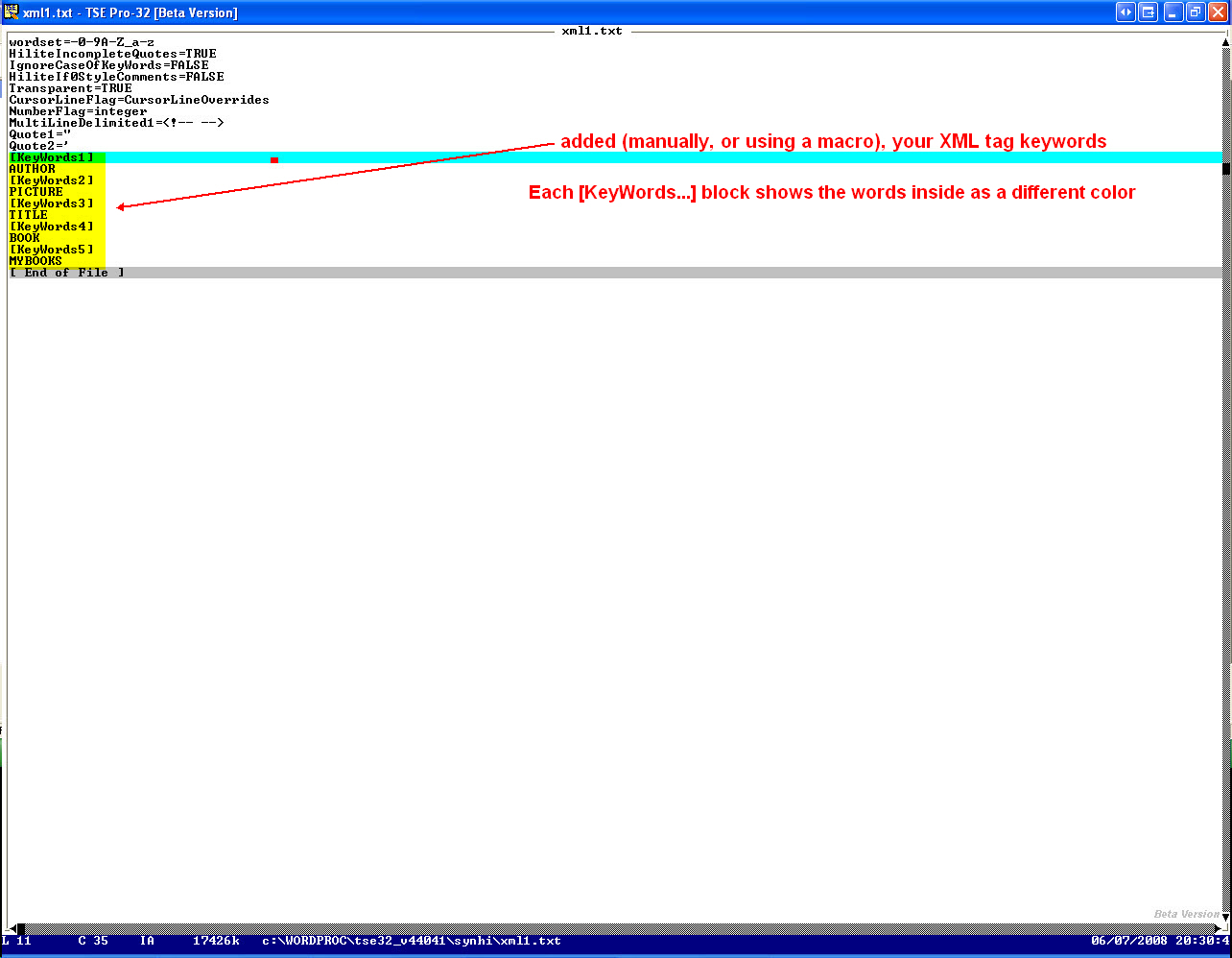
2. -Syntax highlight xml.txt file: after
--- cut here: begin --------------------------------------------------
wordset=-0-9A-Z_a-z
HiliteIncompleteQuotes=TRUE
IgnoreCaseOfKeyWords=FALSE
HiliteIf0StyleComments=FALSE
Transparent=TRUE
CursorLineFlag=CursorLineOverrides
NumberFlag=integer
MultiLineDelimited1=<!-- -->
Quote1="
Quote2='
[KeyWords1]
AUTHOR
[KeyWords2]
PICTURE
[KeyWords3]
TITLE
[KeyWords4]
BOOK
[KeyWords5]
MYBOOKS
--- cut here: end ----------------------------------------------------
4. -Use e.g. the macro as described in 'How to possibly convert automatically a .txt file to .syn file?'
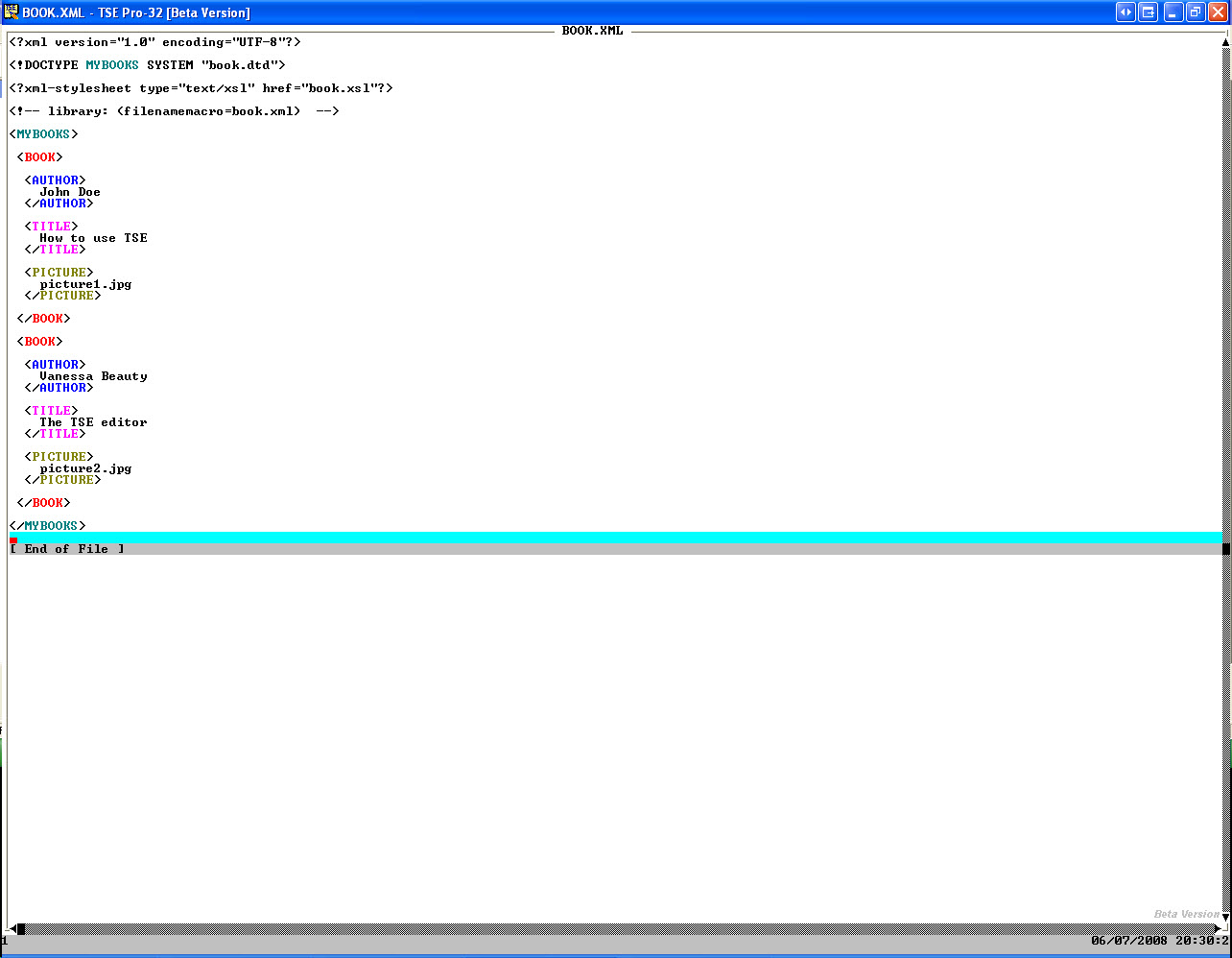
5. -That will show your XML with that tags syntax highlighted
===
Book: see also:
===
Diagram: see also:
===
File: see also:
===
Help: see also:
===
Image: see also:
 </IMG>
 </IMG>
 </IMG>
 </IMG>
===
Internet: see also:
===
Podcast: see also:
===
Screencast: see also:
01.htm
===
Table: see also:
===
Video: see also:
---
----------------------------------------------------------------------
</IMG>
===
Internet: see also:
===
Podcast: see also:
===
Screencast: see also:
01.htm
===
Table: see also:
===
Video: see also:
---
----------------------------------------------------------------------