file: extension: .csv
--- cut here: end ----------------------------------------------------
===
--- cut here: begin --------------------------------------------------
wordset=0-9A-Z_a-z
HiliteIncompleteQuotes=TRUE
IgnoreCaseOfKeyWords=TRUE
HiliteIf0StyleComments=TRUE
Transparent=FALSE
CursorLineFlag=TransparentCursorLine
NumberFlag=Integer|C-Hex|ASM-Hex
MultiLineDelimited1=/* */
TillEOL1=//
TillEOLStartCol1=0
Quote1="
Quote2='
Directive1=#
[KeyWords1]
[KeyWords2]
&
(
)
*
+
,
-
/
:
<
=
>
[
]
^
|
~
[KeyWords3]
[KeyWords4]
;
[KeyWords5]
[KeyWords6]
[KeyWords7]
[KeyWords8]
[KeyWords9]
--- cut here: end ----------------------------------------------------
===
Steps: Overview:
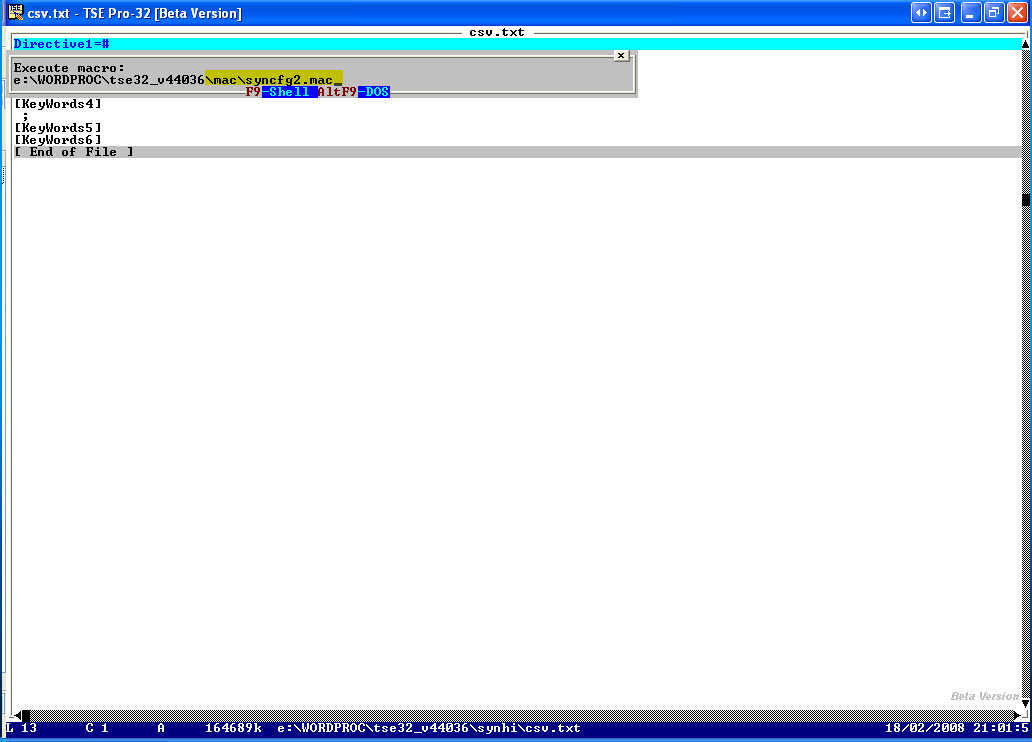
1. Save this as
csv.txt
in your TSE ..\synhi directory
2. Run the TSE macro
..\mac\syncfg2.mac
3. Save the result immediately as
csv.syn
in your TSE ..\synhi directory
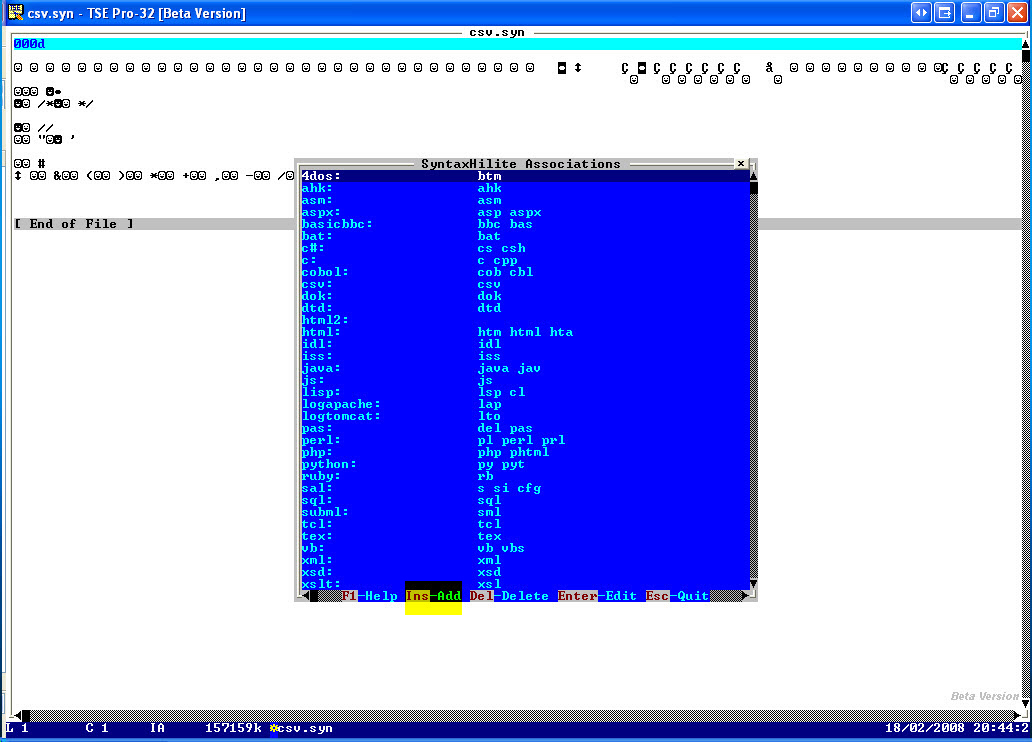
4. Run the TSE macro
..\mac\syncfg.mac
5. Choose 'configure associations'
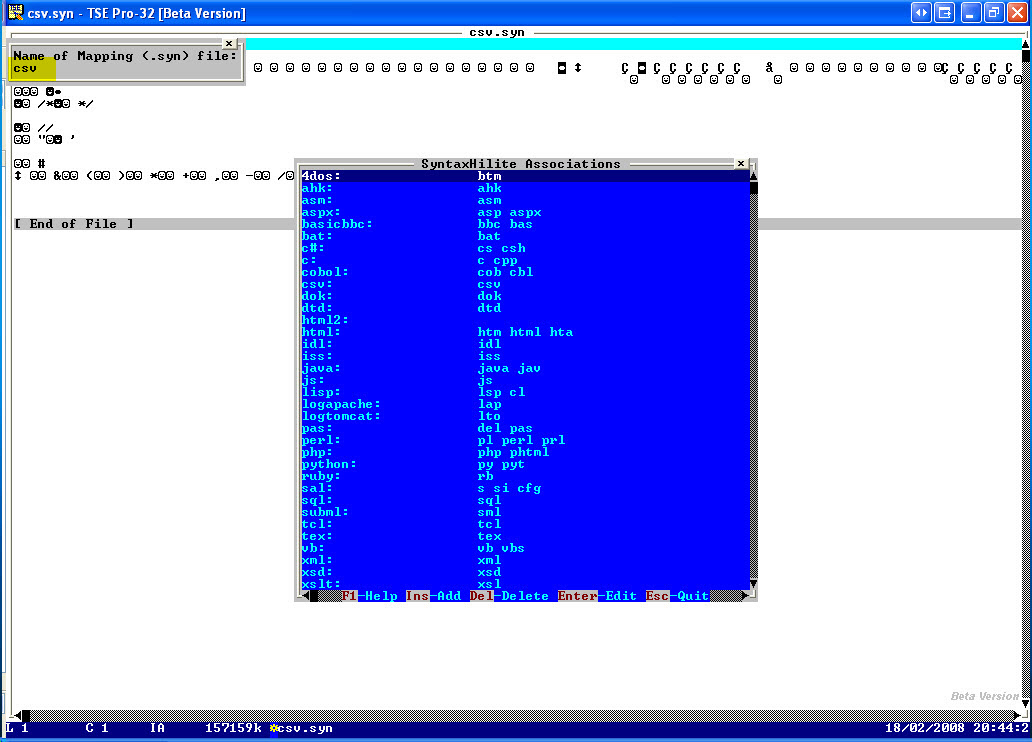
6. Press 'Ins' key to insert a new association
7. Give the name of your mapping file
csv
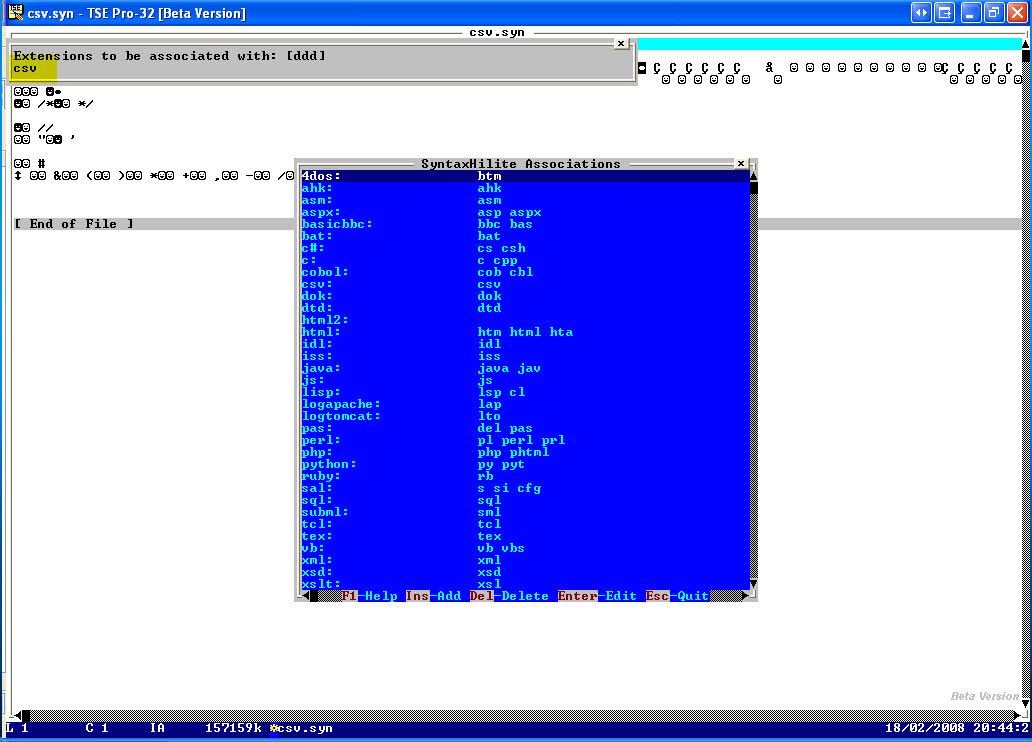
8. Give the extension to be associated with, here also
csv
9. Save the result
10.If you now load TSE again, and open a file with the extension
.csv
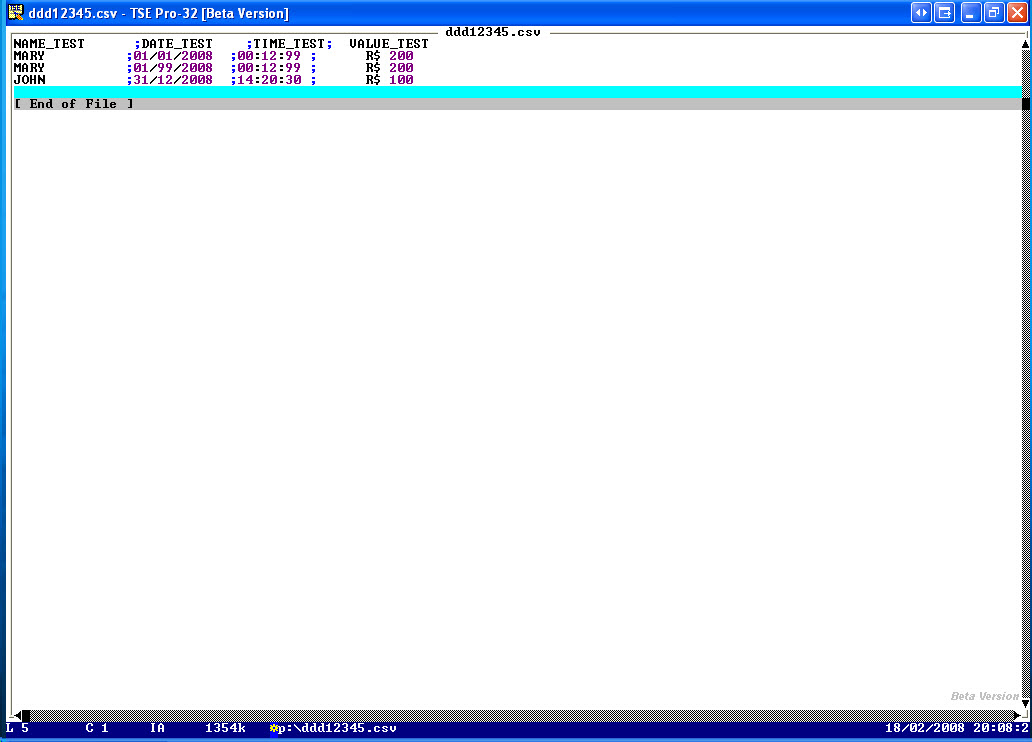
It will highlight ; and the digits
You could further play around a bit by removing or adding the characters
from [keyword2] to other [keyword] groups, so varying the color.
===
Book: see also:
===
Diagram: see also:
===
File: see also:
===
File: version: control: see also:
===
Help: see also:
===
Image: see also:



 ===
Internet: see also:
---
Computer: Editor: Text: TSE: Syntax: Highlight: Link: Overview: Can you give an overview of links?
http://goo.gl/IlARM
===
Podcast: see also:
===
Record: see also:
===
Screencast: see also:
===
Table: see also:
===
Video: see also:
===
<version>1.0.0.0.4</version>
----------------------------------------------------------------------
===
Internet: see also:
---
Computer: Editor: Text: TSE: Syntax: Highlight: Link: Overview: Can you give an overview of links?
http://goo.gl/IlARM
===
Podcast: see also:
===
Record: see also:
===
Screencast: see also:
===
Table: see also:
===
Video: see also:
===
<version>1.0.0.0.4</version>
----------------------------------------------------------------------
