----------------------------------------------------------------------
--- Knud van Eeden --- 17 August 2008 - 05:35 pm ---------------------
Computer: Editor: TSE: File: Set: Simple: Operation: Search: How to possibly search within TSE only in a fixed subset of files? Method: Filename: Change: Declarative: Change filenames to search in external .ini file
---
The goal is to search, within TSE, for some search text,
but only in a given fixed set of files.
---
This method of changing the filenames to search in
external in some way outside of the TSE macro
is much more flexible.
---
Because your filenames to search in are stored
in an external .ini file (which you can change
manually, or by using some other external programs)
you do not have to recompile the TSE macro
if changing or adding other filenames to search in.
---
Note:
By passing different .ini filenames (e.g. stored in different
locations on your harddisk or network) you can also
quickly search in different files sets
(e.g. your special interest files only,
your computer language files only,
your job files only, ...)
===
Steps: Overview:
1. -Possibly create the first time a .ini file which
contains the filenames to search in
1. -You can create this .ini file yourself manually
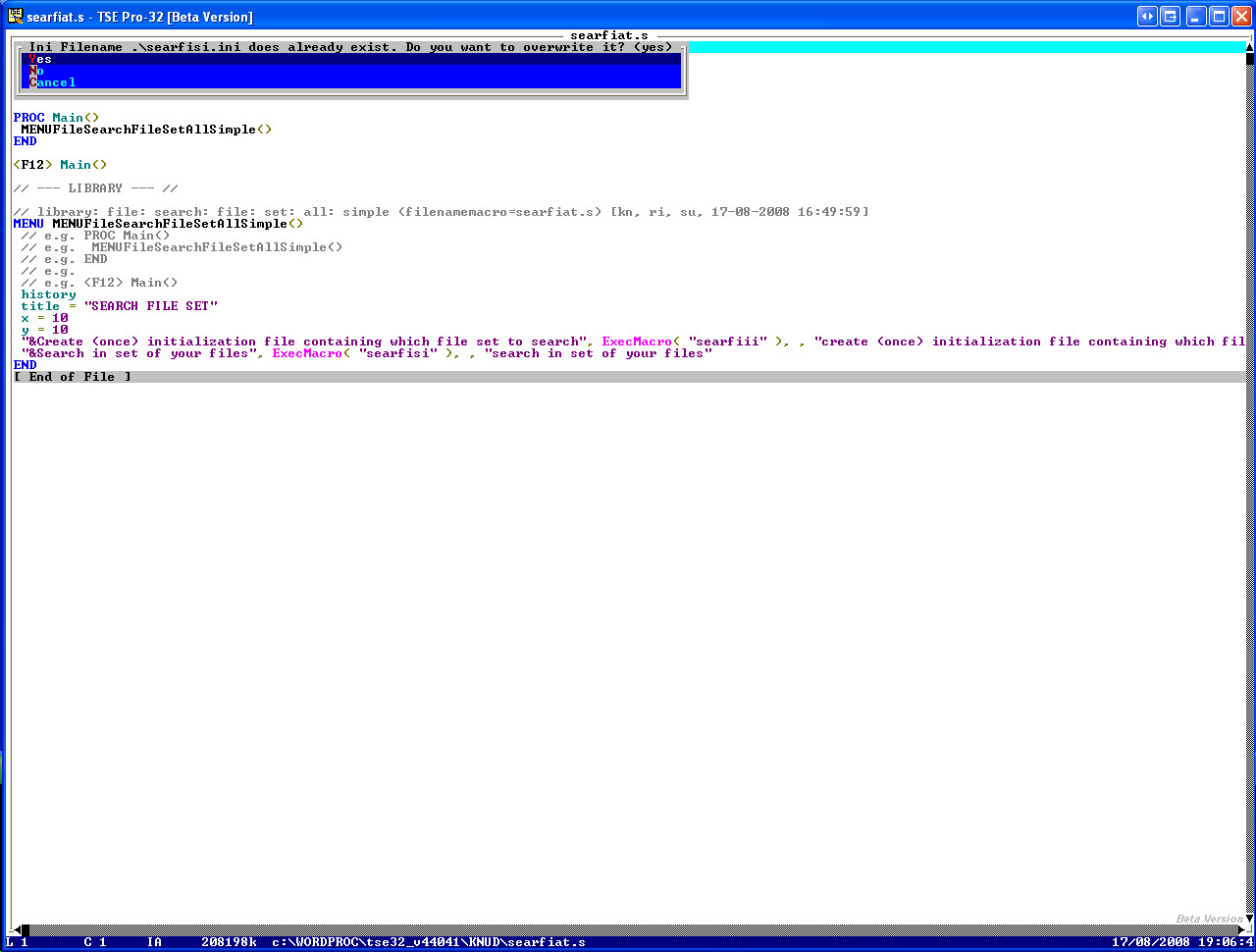
2. -Or let TSE do it by using 'create' option
from this menu
1. -Then possibly changing the filenames
(once, afterwards, ...)
in the created .ini file
3. -E.g.
--- cut here: begin --------------------------------------------------
[default]
file1 = c:\mydirectory\myfile1.txt
file2 = c:\mydirectory\myfile2.txt
file3 = c:\mydirectory\mylibraryCplusPlus.cpp
--- cut here: end ----------------------------------------------------
and so on ...
2. -E.g. create the following 3 programs
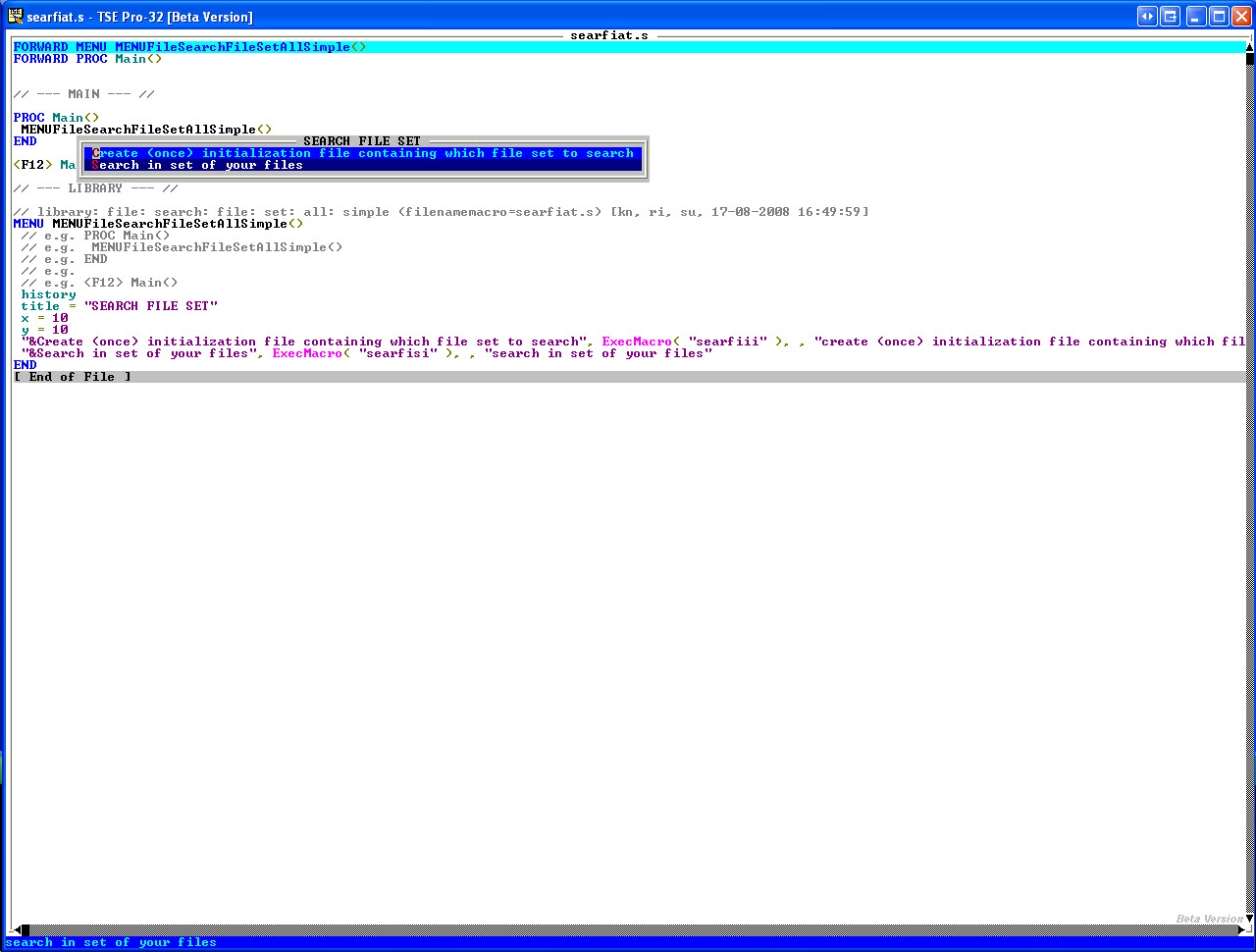
1. -Menu
Save this file as 'searfiat.s', and compile it
--- cut here: begin --------------------------------------------------
// library: file: search: file: set: all: simple (filenamemacro=searfiat.s) [kn, ri, su, 17-08-2008 16:49:59]
MENU MENUFileSearchFileSetAllSimple()
// e.g. PROC Main()
// e.g. MENUFileSearchFileSetAllSimple()
// e.g. END
// e.g.
// e.g. <F12> Main()
history
title = "SEARCH FILE SET"
x = 10
y = 10
"&Create (once) initialization file containing which file set to search", ExecMacro( "searfiii" ), , "create (once) initialization file containing which file set to search"
"&Search in set of your files", ExecMacro( "searfisi" ), , "search in set of your files"
END
--- cut here: end ----------------------------------------------------
2. -Create initialization file
Save this file as 'searfiii.s'
--- cut here: begin --------------------------------------------------
// library: file: search: file: set: all: simple: ini: initialize (filenamemacro=searfiii.s) [kn, ri, su, 17-08-2008 16:38:06]
PROC PROCFileSearchFileSetAllSimpleIniInitialize( STRING sectionS, STRING arrayS, STRING fileNameIniS )
// e.g. PROC Main()
// e.g. //
// e.g. PROCFileSearchFileSetAllSimpleIniInitialize( "default", "file", ".\searfisi.ini" )
// e.g. //
// e.g. END
// e.g.
// e.g. <F12> Main()
//
PushPosition()
//
IF FileExists( fileNameIniS )
//
// make sure you want to have it overwritten, as you might already have created an earlier .ini file
//
IF ( YesNo( Format( "Ini Filename", " ", fileNameIniS, " ", "does already exist. Do you want to overwrite it? (no)" ) ) == 1 )
//
EditFile( fileNameIniS )
AbandonFile()
EraseDiskFile( fileNameIniS )
//
ELSE
//
PopPosition()
//
RETURN()
//
ENDIF
//
ENDIF
//
EditFile( fileNameIniS )
//
AddLine( Format( '[', sectionS, ']' ) )
//
AddLine( "" )
//
AddLine( Format( arrayS, "1", " ","=", " ","c:\mydirectory\myfile1.txt" ) )
AddLine( Format( arrayS, "2", " ","=", " ","c:\mydirectory\myfile2.txt" ) )
AddLine( Format( arrayS, "3", " ","=", " ","c:\mydirectory\mylibraryCplusPlus.cpp" ) )
//
// and so on...
//
SaveFile()
//
PopPosition()
//
END
--- cut here: end ----------------------------------------------------
3. -main
Save this file as 'searfisi.s' and compile it
--- cut here: begin --------------------------------------------------
// library: file: search: file: set: all: simple: ini (filenamemacro=searfisi.s) [kn, ri, su, 17-08-2008 16:37:27]
PROC PROCFileSearchFileSetAllSimpleIni( STRING searchS, STRING searchOptionS, STRING sectionS, STRING arrayS, STRING fileNameIniS )
// e.g. PROC Main()
// e.g. //
// e.g. STRING s1[255] = "test"
// e.g. STRING s2[255] = "ngiv"
// e.g. //
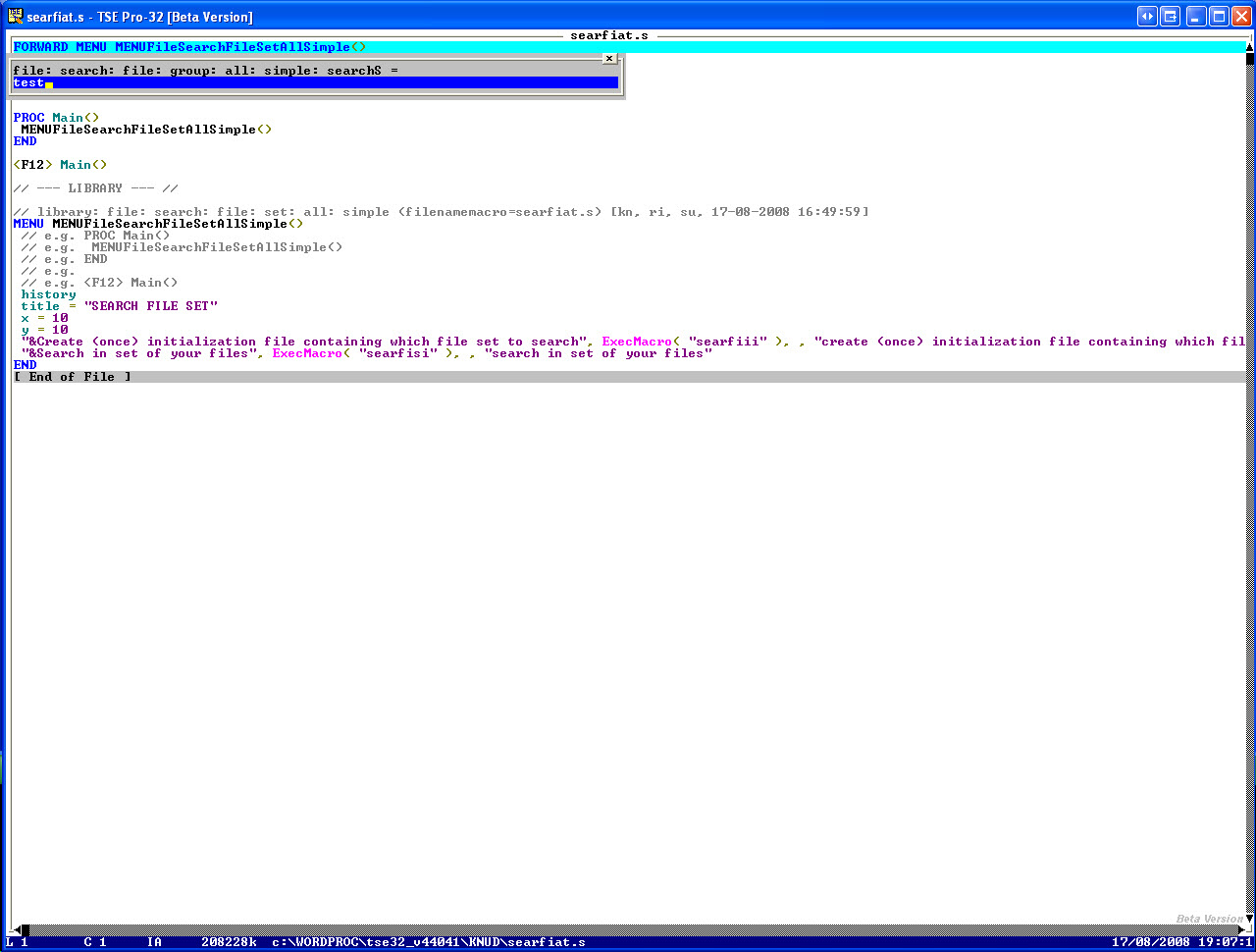
// e.g. IF ( NOT ( Ask( "file: search: file: group: all: simple: searchS = ", s1 ) ) )
// e.g. RETURN()
// e.g. ENDIF
// e.g. //
// e.g. //
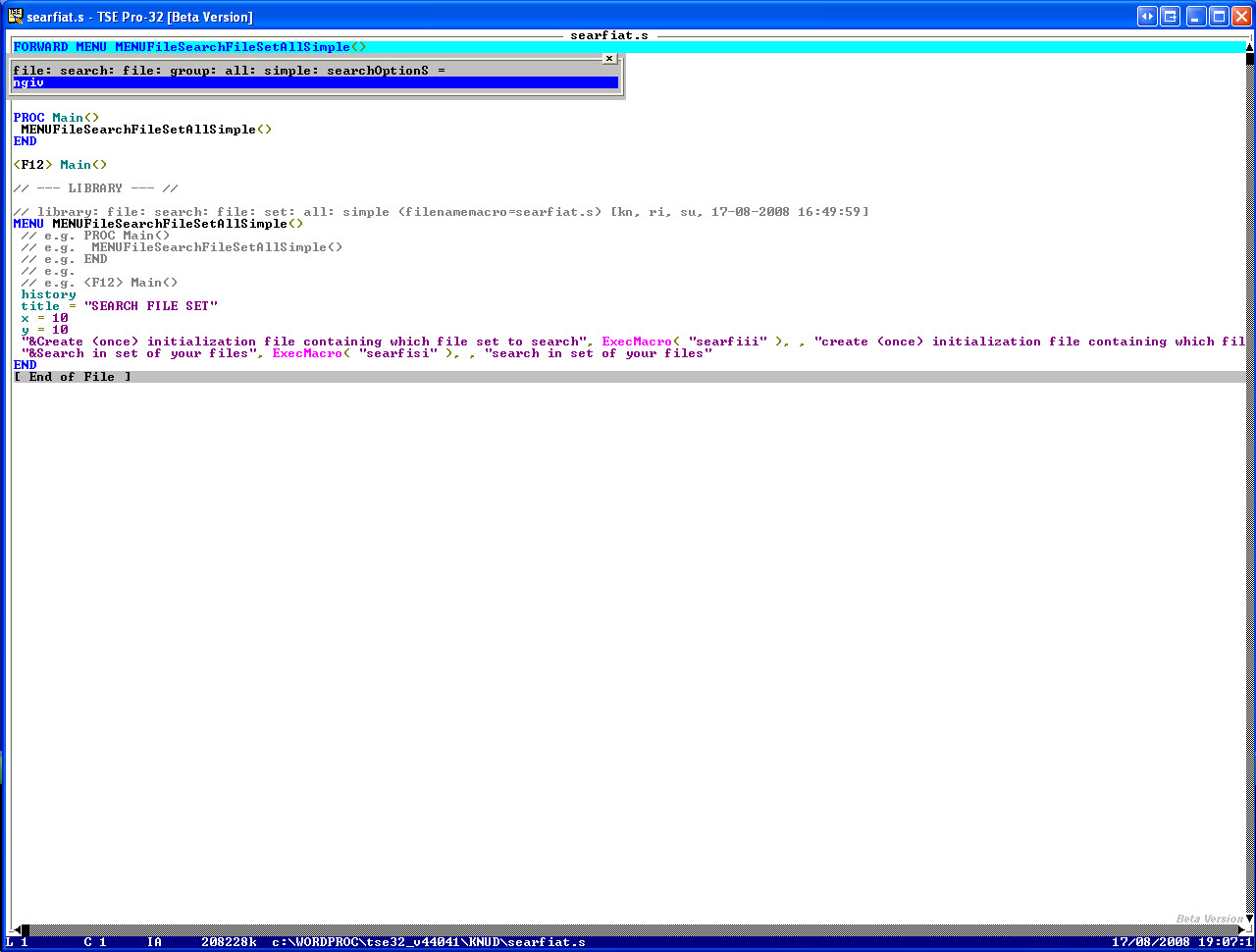
// e.g. IF ( NOT ( Ask( "file: search: file: group: all: simple: searchOptionS = ", s2 ) ) )
// e.g. RETURN()
// e.g. ENDIF
// e.g. //
// e.g. PROCFileSearchFileSetAllSimpleIni( s1, s2, "default", "file", ".\searfisi.ini" )
// e.g. //
// e.g. END
// e.g.
// e.g. <F12> Main()
//
INTEGER bufferCurrentI = 0
//
STRING s[255] = ""
//
INTEGER I = 0
INTEGER minI = 1
//
INTEGER stopB = FALSE
//
PushPosition()
//
// for all filenames which you added here using AddLine( "..." )
//
I = minI - 1
//
REPEAT
//
I = I + 1
//
s = GetProfileStr( sectionS, Format( arrayS, Str( I ) ), "", fileNameIniS )
//
stopB = ( s == "" )
//
//
IF ( NOT ( stopB ) )
//
s = Trim( s )
//
// put the filename between double quotes, when it contains spaces
//
s = QuotePath( s )
//
// search for your search text in that filename
//
IF ( NOT ( s == "" ) )
//
// check if that filename is already in the ring
//
bufferCurrentI = GetbufferId( s )
//
EditFile( s )
//
// when you did find your search text in that filename
//
IF ( NOT( LFind( searchS, searchOptionS ) ) )
//
// if your search text was not found at all in that filename, for unload that filename
//
// but only if that filename was not already loaded by you in the ring
//
IF ( bufferCurrentI == 0 )
//
QuitFile()
//
ENDIF
//
ENDIF
//
ENDIF
//
ENDIF
//
UNTIL ( stopB )
//
// finally view the found text in all involved files all together
//
LFind( searchS, Format( searchOptionS, "a" ) )
//
PopPosition()
//
END
--- cut here: end ----------------------------------------------------
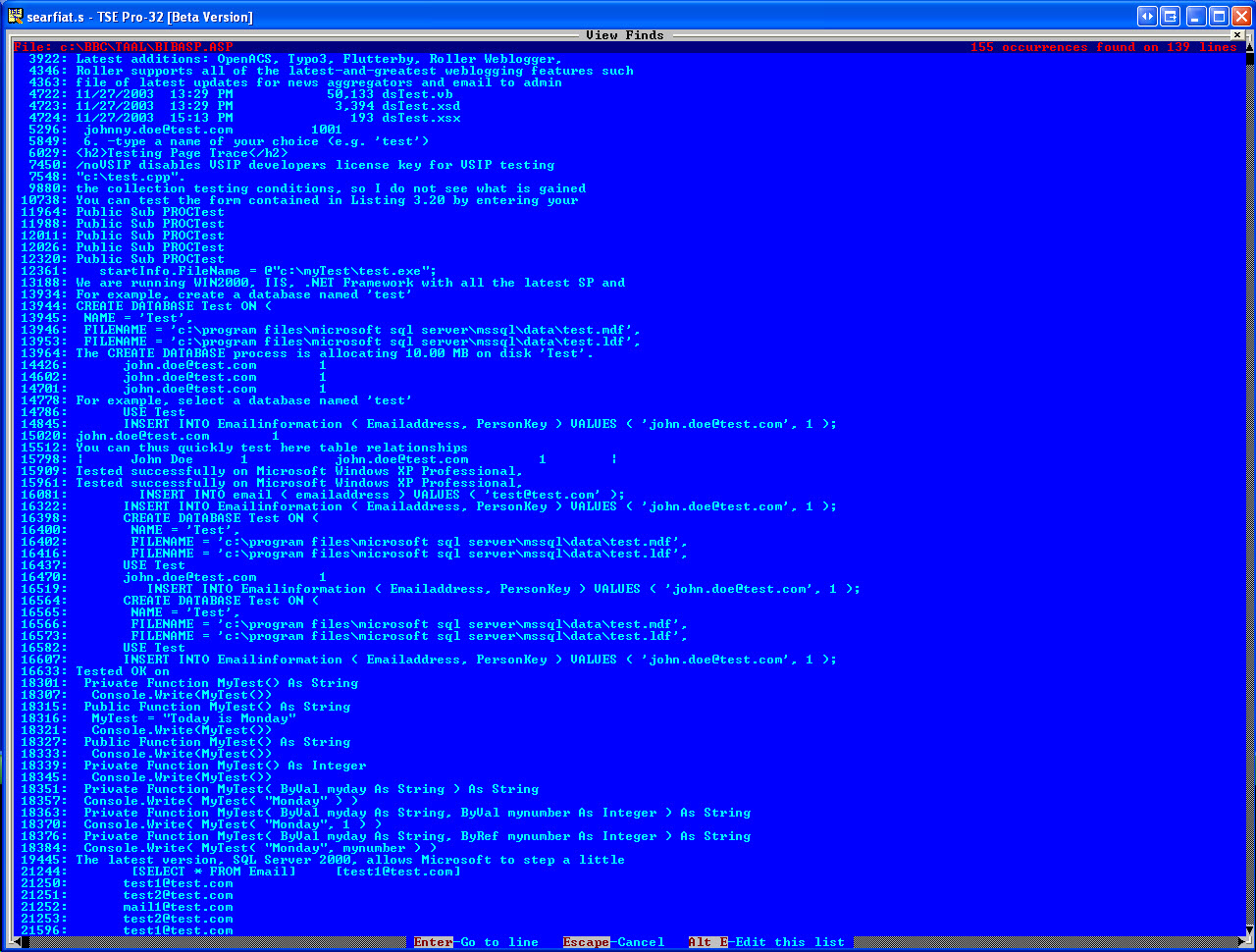
4. -Run the menu program
5. -When choosing the 'search' option in the menu
1. -Supply the text to search for
1. -E.g.
test
2. -Possibly change the searchoption (but the default should be OK)
3. -The search in the given filenames starts
4. -By pressing the <ESCAPE> key you will go to the next file to search in
5. -If the search text is found in the file, that file will be
loaded in the ring (for possible further investigation or
search, e.g. by you)
===
Book: see also:
===
Diagram: see also:
===
File: see also:
===
Help: see also:
===
Image: see also:
 ===
Internet: see also:
===
Podcast: see also:
===
Screencast: see also:
===
Table: see also:
===
Video: see also:
---
----------------------------------------------------------------------
===
Internet: see also:
===
Podcast: see also:
===
Screencast: see also:
===
Table: see also:
===
Video: see also:
---
----------------------------------------------------------------------