----------------------------------------------------------------------
--- Knud van Eeden --- 24 June 2007 - 08:50 pm -----------------------
TSE: Ruby on Rails: Can you describe how to possibly quickly create a database (with administration in a browser)?
===
Using a combination of TSE
(which I use to create the data in the table,
e.g. creating in a text file first a template
(using the TSE macro template.s, and pressing 'TAB'
after the word 'table').
I create all my personal database tables that way.
--- cut here: begin --------------------------------------------------
---------------------------------------------------------------------------------------------------------------------------------------------------
DATABASE: DATABASENAME: <DATABASENAME>
---------------------------------------------------------------------------------------------------------------------------------------------------
TABLE: TABLENAME: <TABLENAME>_DEVELOPMENT
---------------------------------------------------------------------------------------------------------------------------------------------------
TABLE: TYPE: ONE TO ONE / ONE TO MANY / MANY TO ONE / MANY TO MANY
---------------------------------------------------------------------------------------------------------------------------------------------------
| id | HEADER1 | HEADER2 | HEADER 3 | HEADER 4 |
---------------------------------------------------------------------------------------------------------------------------------------------------
INTEGER( 4 ) STRING( 40 ) STRING( 40 ) STRING( 40 ) STRING( 40 )
---------------------------------------------------------------------------------------------------------------------------------------------------
01 test test test test
---------------------------------------------------------------------------------------------------------------------------------------------------
--- cut here: end ----------------------------------------------------
===
I then change then this general table template in TSE to some particular table.
===
--- cut here: begin --------------------------------------------------
-------------------------------------------------------------------------------
DATABASE: DATABASENAME: ADDRESSBOOK_DEVELOPMENT
-------------------------------------------------------------------------------
TABLE: TABLENAME: ADDRESSES
-------------------------------------------------------------------------------
| id | NAME | ADDRESS | E-MAIL ADDRESS |
-------------------------------------------------------------------------------
INTEGER( 4 ) STRING( 40 ) STRING( 40 ) STRING( 40 )
-------------------------------------------------------------------------------
1 John Main Street 12 john.doe@xyz.com
2 Vanessa Sub Street 3 vanessa.bella@wvu.com
-------------------------------------------------------------------------------
--- cut here: end ----------------------------------------------------
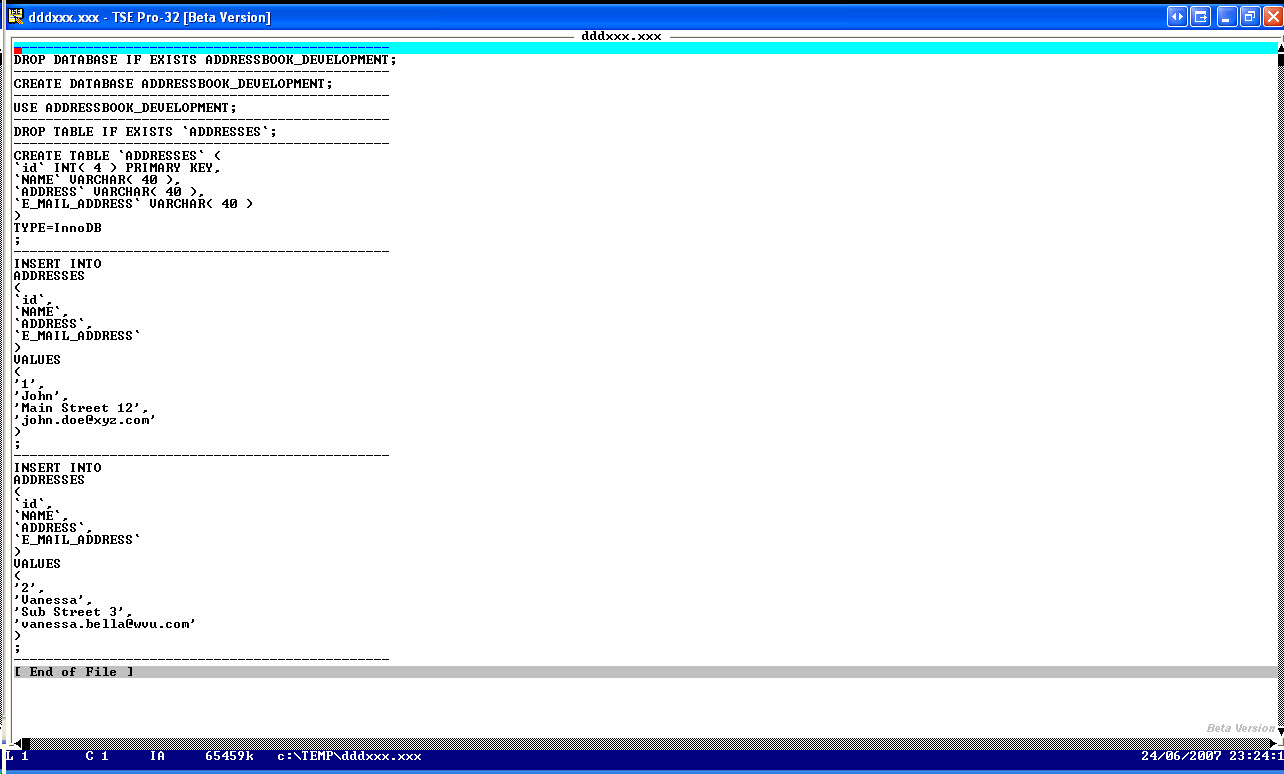
and then run a TSE macro that parses the text in that table,
and converts that table to an SQL query which creates the database,
then the table, and INSERTs the data).
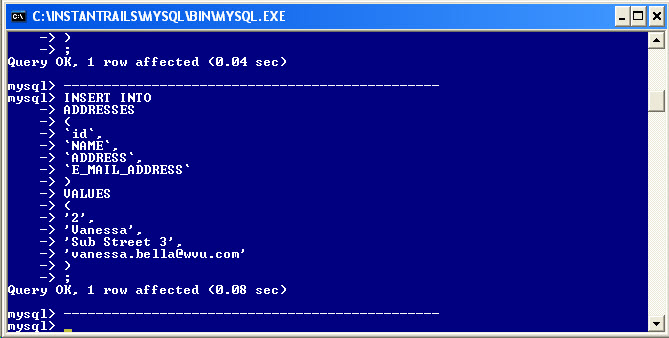
Then copy/pasting this SQL query in a MySql.exe box.
--- cut here: begin --------------------------------------------------
-----------------------------------------------
DROP DATABASE IF EXISTS ADDRESSBOOK_DEVELOPMENT;
-----------------------------------------------
CREATE DATABASE ADDRESSBOOK_DEVELOPMENT;
-----------------------------------------------
USE ADDRESSBOOK_DEVELOPMENT;
-----------------------------------------------
DROP TABLE IF EXISTS `ADDRESSES`;
-----------------------------------------------
CREATE TABLE `ADDRESSES` (
`id` INT( 4 ) PRIMARY KEY,
`NAME` VARCHAR( 40 ),
`ADDRESS` VARCHAR( 40 ),
`E_MAIL_ADDRESS` VARCHAR( 40 )
)
TYPE=InnoDB
;
-----------------------------------------------
INSERT INTO
ADDRESSES
(
`id`,
`NAME`,
`ADDRESS`,
`E_MAIL_ADDRESS`
)
VALUES
(
'1',
'John',
'Main Street 12',
'john.doe@xyz.com'
)
;
-----------------------------------------------
INSERT INTO
ADDRESSES
(
`id`,
`NAME`,
`ADDRESS`,
`E_MAIL_ADDRESS`
)
VALUES
(
'2',
'Vanessa',
'Sub Street 3',
'vanessa.bella@wvu.com'
)
;
-----------------------------------------------
--- cut here: end ----------------------------------------------------
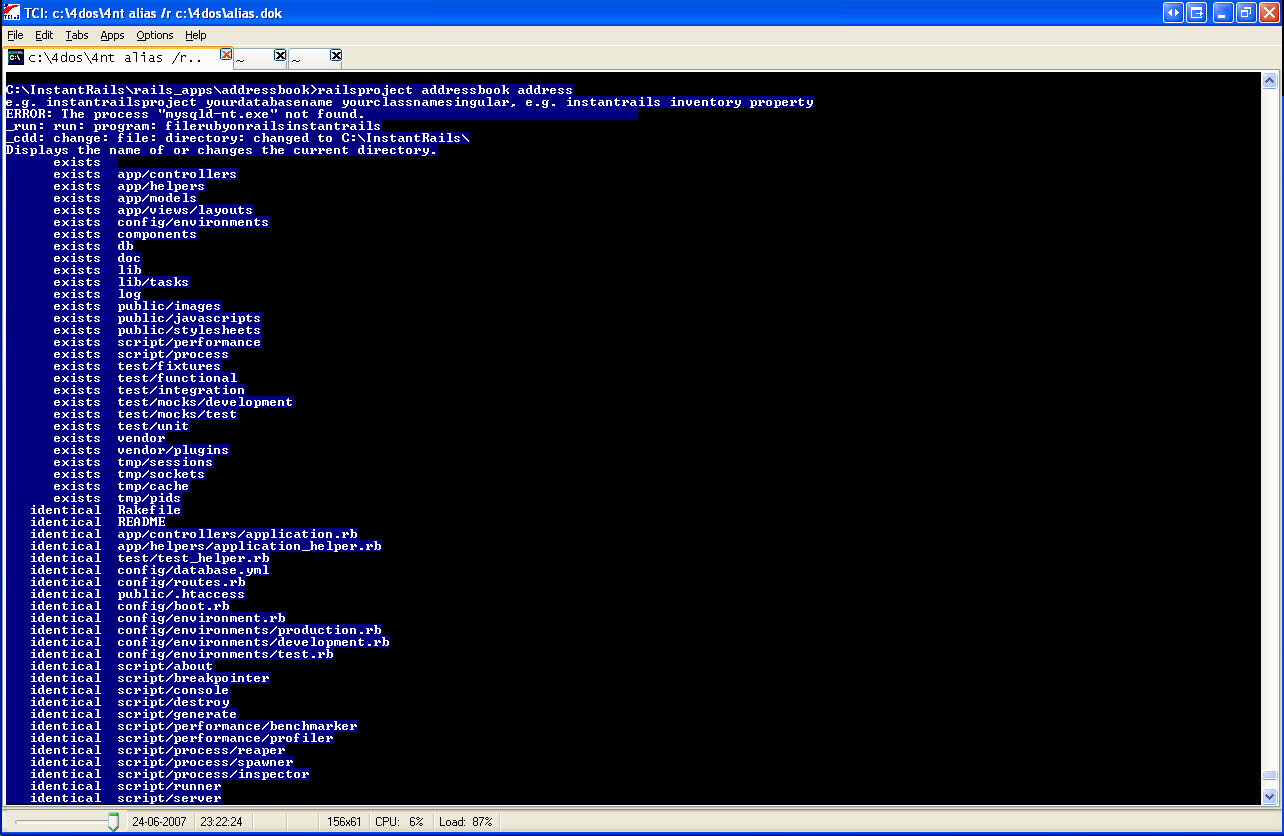
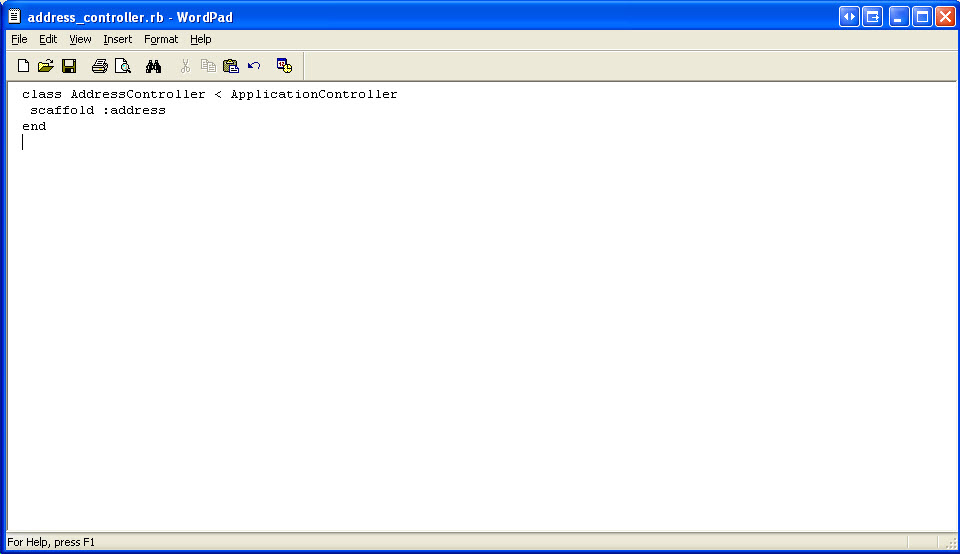
and 4nt (to run an alias called 'railsproject' (or you could in a
similar way create a .bat batch file to automate some of the command
line commands you have to run), here some of this aliases I created,
--- cut here: begin --------------------------------------------------
instantrailsp*roject instantrails & cdrubyonrailsinstantrailsapps & pathrubyonrailsset & c:\InstantRails\ruby\bin\ruby.exe c:\InstantRails\ruby\bin\rails %1 & cd %1 & start c:\Instantrails\ruby\bin\ruby.exe script\server & @PAUSE Just check database.yml, then press 'ENTER' key to continue & wordpad c:\instantrails\rails_apps\%1\config\database.yml & @echo copy/paste created SQL query in mysql.exe & notepad c:\temp\dddxxx.xxx & start c:\instantrails\mysql\bin\mysql.exe -u root & "c:\Instantrails\ruby\bin\ruby.exe" "c:\instantrails\rails_apps\%1\script\generate" controller %2 & @PAUSE Save the file, after adding in %2_controller.rb lines similar to: scaffold :%2 & wordpad c:\instantrails\rails_apps\%1\app\controllers\%2_controller.rb & i http://127.0.0.1:3000/ & i http://127.0.0.1:3000/%2 & "c:\Instantrails\ruby\bin\ruby.exe" "c:\instantrails\rails_apps\%1\script\generate" model %2
railsp*roject @echo e.g. instantrailsproject yourdatabasename yourclassnamesingular, e.g. instantrails inventory property & instantrailsproject %1 %2 %3 %4 %5 %6 %7 %8 %9
pathrubyonrailsset SET PATH=C:\InstantRails\ruby\bin;C:\InstantRails\mysql\bin;C:\INSTAN~1\ruby\bin;C:\INSTAN~1\Apache;C:\INSTAN~1\PHP;%PATH%
instantrails taskkillmysql & _run filerubyonrailsinstantrails
cdrubyonrailsi*nstantrails _cddpath filerubyonrailsinstantrails
cdrubyr*ails cdrubyonrailsinstantrailsapps
cdrubyonrailsinstantrailsapps cdrubyonrailsinstantrails & cd rails_apps
dirrubyonrailsi*nstantrails _dir filerubyonrailsinstantrails
filerubyonrailsinstantrails "C:\InstantRails\InstantRails.exe"
--- cut here: end ----------------------------------------------------
with chosen parameters
railsproject YourDatabaseName YourClassNameSingular
===
E.g.
railsproject ADDRESSBOOK ADDRESS
Note
For the classname you choose the singular (=ADDRESS) of the table name
you have chosen (e.g. ADDRESSES).
Note
Do not add the suffix _DEVELOPMENT after the database name here,
otherwise it is concatenated in the generated database name to
ADDRESSBOOK_DEVELOPMENT_DEVELOPMENT)
===
and InstantRails
(which is a free download of 'Ruby on Rails'
and automatically installs MySql, Apache)
The time from creating this (simple) table,
to publishing it
and having it running in a browser (on a local machine or local network)
is in the order of 5 minutes now.
E.g.
on my local machine typing
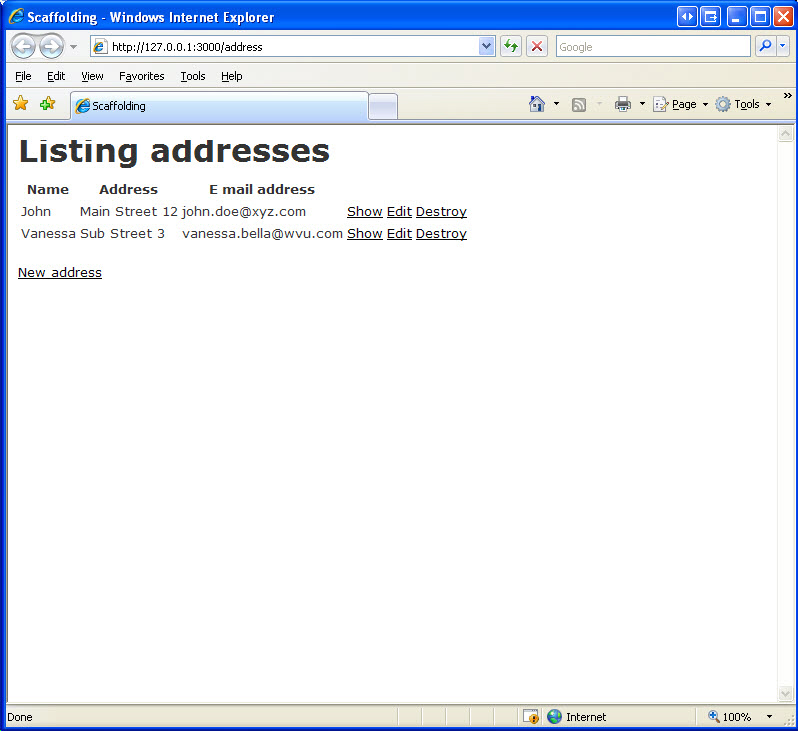
http://localhost:3000/YourClassNameSingular
E.g.
http://localhost:3000/Address
shows all the entries from the table.
===
That page contains also options to update, delete each of the entries,
or create a new entry via your browser
Choosing any of this actions in your browser are then automatically
updated in your MySql database.
===
Note
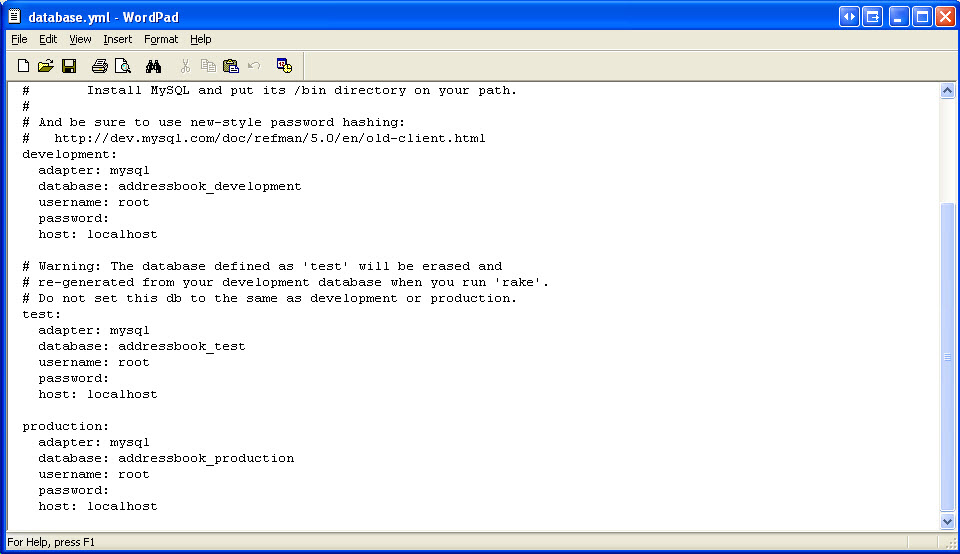
If you change your database name in your database.yml file
in a similar way you can use this system while running
an Sqlite, Oracle, Microsoft Sql server database, instead
of a MySql database.
===
Note:
If you have a provider which offers Ruby on Rails on its machines, or
if you have a dedicated machine, accessible via the Internet, you could
also have it run on the Internet, and access this database and table
via your browser.
===
Book: see also:
===
Diagram: see also:
===
File: see also:
===
Help: see also:
===
Image: see also:
 ===
Internet: see also:
Rolling with Ruby on Rails
http://www.onlamp.com/pub/a/onlamp/2005/01/20/rails.html
---
Provider: Ruby on Rails web hosting
http://www.rubyonrailswebhost.com
===
Podcast: see also:
===
Screencast: see also:
Screencast: Very quickly automatically creating an MySql database backed database system, running on the Internet or local machine
01.wmv
===
Table: see also:
===
Video: see also:
===
----------------------------------------------------------------------
===
Internet: see also:
Rolling with Ruby on Rails
http://www.onlamp.com/pub/a/onlamp/2005/01/20/rails.html
---
Provider: Ruby on Rails web hosting
http://www.rubyonrailswebhost.com
===
Podcast: see also:
===
Screencast: see also:
Screencast: Very quickly automatically creating an MySql database backed database system, running on the Internet or local machine
01.wmv
===
Table: see also:
===
Video: see also:
===
----------------------------------------------------------------------